
A Practical UTM QA Checklist Before Launching Paid Campaigns
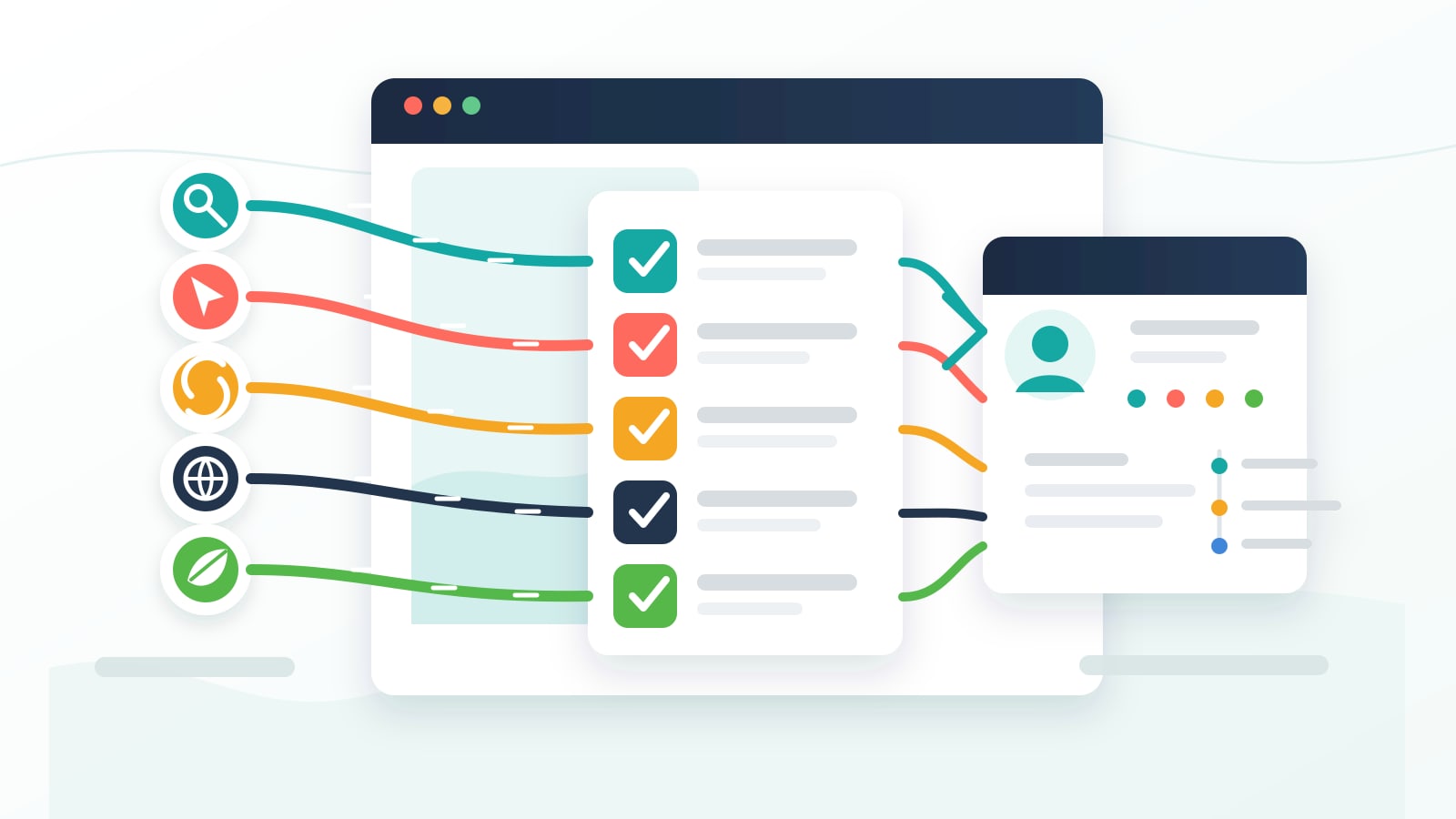
Most paid campaign tracking problems are not mysterious.
They are boring.
A parameter was spelled wrong. A final URL suffix was added at the wrong level. A hidden field was renamed inside the form builder. A cookie banner waited for consent but nobody tested what happened after consent was given. A cache layer served the wrong version of the page. A CRM mapping accepted utm_source but ignored gclid.
None of that feels dramatic when you are setting up the campaign.
It becomes dramatic after the spend is live.
That is why I like doing UTM QA before a paid campaign launches. Not after the dashboard looks strange. Not after sales asks why every lead says "direct." Not after the founder wants to know which campaign produced the pipeline and the answer is "we are still investigating."
Before.
This is the practical UTM QA checklist I would use before launching paid campaigns on a WordPress site, especially when the goal is to push attribution into forms, booking tools, CRMs, spreadsheets, or sales workflows.
It is not glamorous. It is not a giant analytics strategy document. It is the pre-flight inspection that keeps paid traffic from turning into attribution soup.
The short version of the UTM QA checklist
If I only had 30 minutes before a campaign went live, I would check these first:
| QA item | What I want to confirm |
|---|---|
| Naming convention | utm_source, utm_medium, utm_campaign, utm_term, and utm_content are consistent, lowercase, readable, and approved |
| Landing URL | The final landing URL opens correctly with the tracking parameters attached |
| Ad platform setup | Google, Meta, LinkedIn, or other platform settings are appending the values I expect |
| Click IDs | gclid, fbclid, msclkid, and any needed platform parameters are captured |
| First and last touch | I know whether I am reviewing first-touch fields, last-touch fields, or both |
| Form fields | Hidden fields exist, are named correctly, and are actually populated on submission |
| Consent | If consent-aware tracking is enabled, tracking starts after marketing consent is accepted |
| Caching | The cache or CDN does not block the query strings or cookies needed for attribution |
| CRM mapping | The test lead arrives in the CRM with the expected attribution fields |
| Documentation | The final campaign URL and expected values are written down before launch |
That table is the whole point.
The rest of this post explains how I actually run through it.
1. Start with the naming convention before touching the ad platform
I do not like starting UTM QA inside Google Ads, Meta Ads, or LinkedIn Campaign Manager.
I like starting with the naming convention.
If the naming is messy, every tool downstream inherits the mess. The landing page can work perfectly. The form can capture every value. The CRM can map every field. And the reporting can still be painful because the team used six different versions of the same idea.
This is the kind of thing I mean:
| Messy version | Cleaner version |
|---|---|
utm_source=Facebook | utm_source=facebook |
utm_source=fb | utm_source=facebook |
utm_medium=PaidSocial | utm_medium=paid_social |
utm_medium=social-paid | utm_medium=paid_social |
utm_campaign=May Promo | utm_campaign=2026-05-demo-promo |
I am not religious about the exact format. I am religious about consistency.
Before launch, I want the team to agree on:
- source values
- medium values
- campaign naming
- whether ad set, audience, creative, or placement belongs in
utm_content - whether keyword or audience detail belongs in
utm_term - how dates, markets, products, and funnel stages are written
This matters because UTM values are not just labels. They become the language the business uses later when deciding which campaigns deserve more money.
If that language is sloppy at launch, reporting becomes political later.
2. Check the actual landing URL, not just the spreadsheet
A UTM spreadsheet can be perfect while the live URL is wrong.
I always want to click the actual final URL that will be used in the ad platform.
For a basic paid search test, that might look like this:
https://example.com/demo/?utm_source=google&utm_medium=cpc&utm_campaign=2026-05-brand-search&utm_term=brand&utm_content=responsive-ad-1For a paid social test, it might look like this:
https://example.com/demo/?utm_source=facebook&utm_medium=paid_social&utm_campaign=2026-05-retargeting&utm_content=video-hook-aThe first check is simple:
- Does the page load?
- Is there a redirect?
- Are the UTMs still present on the first page load?
- Did the site force a trailing slash or canonical redirect?
- Did anything strip the query string?
- Does the landing page match the campaign promise?
The redirect part matters more than people think.
Some sites redirect from http to https, from non-www to www, from one slug to another, or from an old landing page to a new one. That is fine if the query string survives. It is expensive if the UTMs disappear before the tracking layer has a chance to store them.
This is also where I remind people not to use UTMs on internal links. If a paid visitor lands with clean UTMs and then clicks an internal button with a different set of UTMs, you can overwrite useful attribution with your own site navigation. That is not campaign tracking. That is self-inflicted noise.
3. Verify the ad platform is appending what you think it is appending
The docs for Google Ads tracking in HandL UTM Grabber make an important point: if you want to track UTMs from Google Ads, the parameters need to be added to the final URL or campaign-level tracking template.
That sounds obvious until you audit real accounts.
I have seen UTMs added in one campaign and forgotten in another. I have seen tracking templates set at the wrong level. I have seen final URL suffixes copied from an old launch. I have seen dynamic values used without anyone checking what they resolve to.
Before launch, I want to inspect the actual ad platform setup:
- Google Ads tracking template or final URL suffix
- Meta destination URL parameters
- LinkedIn landing page URL parameters
- Microsoft Ads tracking setup
- any account-level templates that might override campaign-level values
- any ad-level URLs that differ from the approved campaign URL
For Google Ads, I usually want the standard UTM set plus the click ID story. HandL tracks gclid by default, and the docs note that values such as wbraid and gbraid can be added as custom parameters when needed.
For Meta, I want clean UTMs and, depending on the setup, fbclid, _fbc, _fbp, and dynamic parameters such as ad ID, ad set ID, ad name, placement, or campaign details. The Facebook Ads tracking docs specifically call out adding non-UTM parameters as custom parameters when you want them captured like the rest of the campaign data.
For LinkedIn, I still want the basics: source, medium, campaign, content, and term when it is useful. The LinkedIn Ads tracking docs are a good reminder that the value is not just traffic reporting. It is better ROAS analysis later.
The platform setup is where a lot of UTM QA fails because everyone assumes someone else already checked it.
I prefer to be boring and check it myself.
4. Make sure you are capturing more than the five basic UTM fields
The standard five UTM fields are still the baseline:
utm_sourceutm_mediumutm_campaignutm_termutm_content
But for paid campaigns, I do not want to stop there.
The native shortcode documentation lists the bigger attribution picture: last-touch UTMs, first-touch UTMs, click IDs such as gclid, fbclid, and msclkid, referrer fields, landing page fields, organic source fields, traffic source fields, Google Analytics client ID, user agent, and the unique handlID.
That matters because the lead journey is rarely as clean as the campaign plan.
A real person might:
- Click a Meta ad.
- Browse two pages.
- Leave.
- Search the brand on Google.
- Click a paid search ad.
- Submit a form.
If you only capture one generic source value, you will fight about what happened.
If you capture first touch, last touch, click IDs, referrer, and landing page context, you have a much better chance of understanding the journey.
My practical baseline for serious paid campaigns looks like this:
| Field group | Fields I like to QA |
|---|---|
| Standard UTMs | utm_source, utm_medium, utm_campaign, utm_term, utm_content |
| First-touch UTMs | first_utm_source, first_utm_medium, first_utm_campaign, first_utm_term, first_utm_content |
| Click IDs | gclid, fbclid, msclkid, plus wbraid and gbraid when needed |
| Referrer context | handl_original_ref, handl_ref, handl_ref_domain |
| Page context | handl_landing_page, handl_landing_page_base, handl_url, handl_url_base |
| Traffic context | traffic_source, first_traffic_source, organic_source, organic_source_str |
| Technical context | gaclientid, user_agent, handlID |
Do you need every field in every CRM view?
No.
But I would rather capture useful evidence and decide later what to report on than discover after launch that the one field I needed was never collected.
5. Add custom parameters only when you actually need them
Custom parameters are useful. They are also easy to abuse.
The custom parameter docs explain the right model: HandL already tracks native UTM parameters and standard tracking parameters by default, so custom parameters should be reserved for extra values that are not already covered.
That is a good rule.
If I am working on a Google Ads setup and the team wants campaignid, adgroupid, keyword, and placement, I would add those as custom parameters.
If I am working on Meta and the team wants ad_id, adset_id, ad_name, adset_name, and placement, I would add those as custom parameters.
If a team wants to add 30 custom fields because someone found a giant list of dynamic parameters online, I slow them down.
More fields do not automatically mean better attribution.
They can also mean:
- more CRM clutter
- more mapping errors
- more inconsistent naming
- more privacy review
- more chances for someone to forget what a field means
My QA rule is simple:
If a custom parameter will be used for reporting, routing, debugging, offline conversion matching, or meaningful segmentation, capture it.
If nobody can explain why it matters, leave it out.
6. Test whether the data survives after the URL changes
This is one of the biggest misunderstandings around UTM tracking.
Some people think the UTMs need to stay visible in the address bar on every page.
They do not.
The HandL docs answer this directly in the page on whether tracking still works when UTMs disappear in the URL. The important idea is that the values are stored in cookies when the visitor lands, then accessed later when needed for conversion.
That is exactly why I built HandL UTM Grabber around capturing attribution early and making it available later. The form is often not on the landing page. The booking step may be embedded. The conversion might happen after three more clicks.
So my QA flow is not:
"Do the UTMs stay in the URL forever?"
My QA flow is:
"Can the visitor land with UTMs, move through the site normally, and still submit a form with the correct attribution attached?"
That is the test that matters.
7. Check hidden form fields like they are production plumbing
Forms are where attribution either becomes useful or dies quietly.
The docs repeat this pattern across form builders: add hidden fields, use the right field names or dynamic population settings, and confirm the submitted entry contains the values. You can see this in the docs for WPForms, Gravity Forms, and many other integrations.
This is not a place to be casual.
Before launch, I want to inspect:
- every lead form on the campaign path
- every popup form
- every booking form
- every embedded third-party form
- every checkout or quote request form if the campaign sends traffic there
- every CRM or webhook mapping downstream
Then I want to confirm the hidden fields are actually present.
At minimum, I want:
utm_source
utm_medium
utm_campaign
utm_term
utm_content
gclid
fbclid
msclkid
handl_landing_page
handl_ref
handl_original_ref
traffic_source
For more serious setups, I add first-touch fields and the other context fields I listed earlier.
The mistake I see too often is that the form "has UTM fields" in theory, but the field names do not match the tracking setup.
One field is called utmSource.
Another is called utm_source_hidden.
Another maps to the CRM as "Lead Source" but overwrites a sales-owned field.
Another exists in the form builder but was not added to the notification, webhook, Zapier payload, CRM integration, or entry export.
That is why I do not consider the form QA done when I see hidden fields in the editor.
I consider it done when a test submission arrives downstream with the right values.
8. Run a real test lead before the campaign goes live
This is the most important step in the whole checklist.
Do not preview the landing page and call it done.
Submit a real test lead.
Use a unique campaign name so you can find it easily:
utm_campaign=qa_test_2026_05_28Use a fake name or email that is obviously a QA record:
Name: UTM QA Test
Email: utm.qa.test@example.com
Then inspect the result in every place the lead is supposed to appear:
- form entry
- email notification
- CRM contact
- CRM deal or opportunity
- Zapier or Make history
- Google Sheet
- Slack notification
- webhook payload
- ad platform offline conversion workflow, if used
I want to see the values, not assume they exist.
The test should answer these questions:
- Did
utm_sourcearrive? - Did
utm_mediumarrive? - Did
utm_campaignarrive? - Did click ID data arrive?
- Did first-touch and last-touch values behave as expected?
- Did the landing page field show the first page visited?
- Did the current URL field show the conversion page?
- Did the CRM mapping preserve the raw values?
- Did any automation rename, truncate, lowercase, overwrite, or drop fields?
The last one is sneaky.
Sometimes the website captures everything correctly, and the CRM automation ruins it.
That is still a failed QA.
9. Test consent behavior if the site uses cookie consent
Cookie consent is one of those areas where teams can sound confident while the implementation is broken.
The WP Consent API integration docs are very clear about the tradeoff. By default, HandL collects UTM data unless consent restrictions are enabled. If you configure it to wait for consent, users who do not consent will not have their UTM data tracked.
That is not a bug.
That is the rule you chose.
So the QA has to match the consent strategy.
If the site tracks before consent, confirm the fields populate on the first visit.
If the site waits for marketing consent, test three flows:
- Accept marketing consent, then submit the form.
- Reject consent, then submit the form.
- Ignore the banner, then submit the form.
For the consent-aware flow, I want to confirm tracking starts immediately after consent is granted without needing a page reload. That is especially important when the visitor accepts consent and converts in the same session.
I wrote more about this in Cookie Consent Without Losing UTMs on WordPress, but the short version is this:
Do not just check whether the banner appears.
Check whether the banner and the attribution system actually talk to each other.
10. Check caching before blaming the form
Caching can make UTM QA confusing.
The form looks right. The URL looks right. The plugin is active. The fields exist. And still, no attribution shows up.
This is why I like checking cache behavior before a serious launch.
The common troubleshooting docs recommend opening developer tools, checking the Network tab, and inspecting headers to see whether the request is coming from cache. Depending on the source of caching, you may need to whitelist the query parameters or cookies, or exclude certain pages.
That advice sounds technical, but the business reason is simple:
If the cache layer ignores the visitor context, attribution can break even when the form setup is correct.
I covered this in more detail in Why Some WordPress Hosts Break UTM Tracking. The pattern is usually not that the host is bad. It is that the site, CDN, cache plugin, or edge layer needs to respect the attribution cookies and query strings.
Before launch, I want to test:
- normal browser
- incognito or private window
- mobile browser
- cache enabled
- cache cleared
- consent accepted and rejected, if relevant
- landing page and conversion page
If the campaign budget is meaningful, this is worth the time.
It is cheaper than debugging attribution after 2,000 paid clicks.
11. Do not forget embedded forms, calendars, and external steps
Paid campaign funnels are rarely just one WordPress page and one native WordPress form.
They often include:
- Calendly
- Cal.com
- Typeform
- Fillout
- HubSpot forms
- GoHighLevel funnels
- Stripe checkout
- WooCommerce
- embedded iframes
- external booking pages
- quiz tools
- quote request tools
Every handoff is a place attribution can fall out.
If the next step stays inside WordPress and the form integration is supported, the QA is usually straightforward.
If the next step is embedded or external, I want to confirm how the UTM values move into that tool. Sometimes that means hidden fields. Sometimes it means passing parameters into an iframe. Sometimes it means appending UTMs to outbound links. Sometimes it means using a tool-specific integration.
This is why I like keeping the launch QA focused on the actual conversion path, not just the landing page.
If the paid campaign sends people to a landing page, then to a scheduling tool, then to a CRM, all three steps need to be tested.
12. Confirm first-touch and last-touch expectations with the team
This one avoids a lot of arguments later.
Before launch, I want everyone to know which attribution question they are asking.
First touch answers:
"How did this person originally find us?"
Last touch answers:
"What was the most recent tracked source before conversion?"
Both can be true at the same time.
That is why HandL supports first-touch and last-touch fields. A lead can first arrive from Meta, return later from Google Ads, and convert after the second visit. If your CRM only shows one value, someone will eventually argue with the data.
The QA step is simple:
- Visit the site with one set of UTMs.
- Leave or open a new page.
- Visit again with a different set of UTMs.
- Submit the form.
- Check first-touch and last-touch fields separately.
You want to know before launch whether the CRM is storing both, overwriting one, or hiding one from the team.
This is especially important for founders, CMOs, and operators who are making budget decisions from CRM reports. The difference between first touch and last touch is not academic. It changes which campaigns get credit.
13. Create one final launch record
After the test lead passes, I like creating a simple launch record.
Nothing fancy.
Just enough so that nobody has to reconstruct the setup later.
I would include:
- campaign name
- launch date
- landing page URL
- approved UTM URL
- source, medium, campaign, term, and content values
- platform-level tracking template or final URL suffix
- custom parameters used
- test lead name and email
- date and time of QA submission
- where the test lead was verified
- known caveats, such as consent behavior or cache exclusions
This is not busywork.
It gives the team a source of truth when the campaign is live and someone asks, "Are we sure tracking was working?"
If the answer is "I think so," that is weak.
If the answer is "Yes, here is the test lead and the values we verified before launch," that is much better.
The pre-launch UTM QA script I would actually use
Here is the condensed version I would hand to someone on the team:
- Open a clean browser session.
- Visit the final landing page with the approved UTMs.
- Confirm the page loads and the query string is not stripped before tracking can happen.
- Accept or reject consent according to the flow being tested.
- Navigate to the real conversion step.
- Submit a test lead with a unique QA campaign value.
- Check the form entry.
- Check the CRM contact.
- Check the CRM deal, opportunity, or lead object.
- Check any automation payloads.
- Confirm click IDs and custom parameters arrive when expected.
- Repeat once for first-touch and last-touch behavior.
- Repeat once through the mobile path.
- Save the result in the campaign launch notes.
That is the checklist.
Not theoretical attribution. Not a 40-page measurement framework. Just a clean test of the path money is about to travel through.
My rule: no test lead, no launch
I am blunt about this because I have seen the cleanup too many times.
If a team is about to spend real money on paid traffic, someone should submit a real test lead before launch.
Not just look at the URL.
Not just trust the form builder.
Not just assume the CRM mapping still works because it worked last quarter.
Submit the test.
Find the record.
Inspect the attribution fields.
Then launch.
That one habit prevents a surprising amount of waste. It catches broken UTMs, missing click IDs, bad hidden fields, consent issues, cache problems, CRM mapping mistakes, and platform setup errors before they become expensive.
Paid campaigns move fast. Attribution should not be the part everyone hopes is working.
It should be checked before the money starts moving.







[…] already wrote about doing this kind of pre-launch check in A Practical UTM QA Checklist Before Launching Paid Campaigns. A Sheet-based audit log fits naturally into that […]