
WooCommerce Order Attribution Unknown: Six Checks and the 10.5 Fix
WooCommerce says an order source is Unknown.
The customer entered through a tagged link. The order happened in the same store. The UTM parameters looked right. Still, the attribution box is empty.
This is easy to misdiagnose because “Unknown” is the last symptom in a six-step chain. A cookie can fail. Consent can block tracking. The checkout can omit the attribution element. JavaScript can leave the hidden inputs empty. The order request can drop the fields. The backend can fail to save them.
There was also a specific WooCommerce bug that made every classic-checkout order look Unknown on affected sites. It involved an early do_shortcode() call and a static flag added in WooCommerce 9.0. WooCommerce fixed that path in version 10.5.0.
I will show you how to separate that bug from the other five failure points.
The short version
| What you find | What it means | What I would do next |
|---|---|---|
| WooCommerce is below 10.5.0 and the classic checkout attribution element is missing | You may have the documented checkout pre-render bug | Update WooCommerce, retest, then inspect code that calls do_shortcode() early |
| Sourcebuster is unavailable or its cookies do not exist | The visit was never captured | Check script loading, consent, cache, WAF rules, and browser policy |
Cookies exist but classic checkout has no <wc-order-attribution-inputs> | The form was not stamped | Check WooCommerce version and the early-shortcode path |
| The element exists but hidden fields are empty | JavaScript did not move cookie data into the form | Check consent state, JavaScript errors, and initialization order |
| Fields are populated but absent from the checkout request | The submission path dropped them | Inspect the real network payload and checkout customization |
| The request contains the values but the order is Unknown | The problem is server-side save or order creation | Inspect order metadata and the creation path |
| The buyer changed browser, device, or session | WooCommerce may have no source by design | Do not label it a bug without a same-session controlled test |
If you are on WooCommerce 10.5.0 or newer, the specific static-flag bug discussed below already has a core fix. Do not paste a workaround before you confirm which step is broken.
What “Unknown” actually means
Unknown is not the same as Direct.
WooCommerce’s official testing guide says a visit without a referral or source should show Direct. It uses Unknown in its manual test when an order has no associated attribution metadata. That is an important distinction.
Direct means WooCommerce captured a session and classified it as direct traffic. Unknown means the order does not have usable attribution data attached. The interface does not tell you which handoff failed.
WooCommerce stores source, medium, campaign, referrer, device type, and session page views only when an order is placed. Its Order Attribution documentation also says the cookies expire with the session and cannot follow a visitor across sessions. Those behavior claims were checked 2026-08-29.
So start with one clean browser, one landing URL, one session, and one checkout. If the test crosses devices or sits longer than the session, you are testing the product’s limit, not the bug.
Update WooCommerce before adding a workaround
The permanent fix for the documented checkout pre-render problem shipped in WooCommerce 10.5.0. The release was published on 2026-02-06. Checked 2026-08-29.
The fix is in WooCommerce PR #62609. It removes the default “stamp once” restriction and lets the attribution element appear when the real checkout renders. The JavaScript then removes duplicates before updating the form values. The PR’s changelog describes the fix as handling a missing order attribution element when checkout is pre-rendered. Checked 2026-08-29.
If your store is below 10.5.0, update on staging, test the checkout, and then deploy through your normal change process. If you cannot update yet, the temporary workaround later in this post is an option after you verify the exact failure.
Do not treat “update WooCommerce” as the entire diagnostic. A current site can still show Unknown because consent, cookies, JavaScript, checkout customization, or the session boundary can fail.
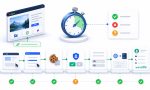
The six conditions WooCommerce needs
WooCommerce maintainer chihsuan listed six conditions in issue #62508 on 2025-12-19. All six have to work for classic checkout to persist attribution. Checked 2026-08-29.
| Stage | What must happen | How I check it |
|---|---|---|
| 1. Script | Sourcebuster.js loads and initializes on the landing page | Check the Network and Console panels; run typeof sbjs |
| 2. Consent | Tracking consent is granted when WP Consent API is active | Test after an explicit consent choice and inspect the live consent state |
| 3. Cookies | Sourcebuster cookies are created | Look for sbjs_current, sbjs_first, and sbjs_session in browser storage |
| 4. Checkout handoff | The custom element is stamped into classic checkout, or data enters the checkout store for blocks | Use a DOM query for classic checkout; use the request payload for blocks |
| 5. Form values | JavaScript populates the hidden checkout inputs | List the live wc_order_attribution_* inputs and values |
| 6. Save | The backend receives and saves the data at order creation | Compare the checkout request with the final order attribution metadata |
This table is the diagnostic. Work from top to bottom. Do not jump from a tagged URL to the order record and assume everything between them worked.
Run one controlled order
Use an incognito window or a clean browser profile. Start with a simple URL:
https://example.com/shop/?utm_source=qa&utm_medium=test&utm_campaign=wc-unknown-checkAdd a product and complete checkout without switching browser or device. Keep DevTools open with Preserve log enabled. Give the test order a recognizable email and timestamp.
Before you change a plugin, cache rule, or code snippet, save a small evidence packet for this order:
- the WooCommerce version;
- whether the page uses classic checkout or Checkout Blocks;
- the final landing URL after redirects;
- the consent choice and time it was made;
- the three Sourcebuster cookie names and whether each exists;
- the output of the classic checkout element query, when applicable;
- the hidden field names and test values;
- the checkout request payload;
- the order ID and its saved attribution result.
Redact customer data and cookie contents before sharing the packet. For this diagnosis, I care about whether a value exists and whether the same controlled value survives each handoff. I do not need a real buyer’s email, address, or full cookie data.
Then change one variable. Update WooCommerce, or disable the suspected pre-rendering feature on staging, or change one optimization rule. Run the same test again in a new clean session. If you update three plugins, change the checkout template, clear every cache, and replace the consent tool in one pass, a successful order will not tell you which change fixed the path.
Also keep the test values boring. qa, test, and wc-unknown-check are easier to trace than a long encoded campaign name. Once the basic handoff works, repeat the real campaign path with its redirects and production values.
This is the same discipline I use when debugging blank UTM fields: find the last system where the value is present. That is more useful than guessing which plugin caused the final symptom.
1. Confirm Sourcebuster loaded
WooCommerce uses Sourcebuster.js to classify the visit. On the landing page, open the Console and run:
typeof sbjsAn undefined result means you do not yet have a checkout problem. You have a script-loading or tracking-permission problem.
Check the Network panel for the order attribution and Sourcebuster assets. Check the Console for the first JavaScript error. Delayed scripts, combined files, aggressive optimization, and stale cache can change execution order. I cover those mechanisms separately in Why Some WordPress Hosts Break UTM Tracking.
2. Confirm consent allowed tracking
When a consent platform integrates through WP Consent API, WooCommerce can wait for permission before it creates attribution data. WooCommerce’s documentation says the feature integrates with WP Consent API. Checked 2026-08-29.
Test both sides deliberately:
- Before consent, confirm the absence of tracking is consistent with your policy.
- Grant the relevant consent and confirm the state changes on the live page.
- Reload through a new tagged landing URL if your implementation needs a new page load.
- Verify the Sourcebuster cookies appear after consent.
A blank caused by denied consent may be an honest blank. A blank after consent was granted is a timing or integration question. The difference matters. I explain that boundary in Cookie Consent Without Losing UTMs on WordPress.
3. Confirm the Sourcebuster cookies exist
Open DevTools, go to Application, then Cookies, then your store domain. Look for at least:
sbjs_currentsbjs_firstsbjs_session
WooCommerce documents these cookies and says the default customer session is 30 minutes. It also says the feature cannot track visitors across sessions. Checked 2026-08-29.
If the script exists but the cookies do not, stay at this stage. Check consent, browser restrictions, cookie domain, security rules, and any cache or optimization layer. Do not inspect the order database yet. The backend cannot save values the browser never created.
4. Confirm checkout received the attribution element
This check is different for classic checkout and Checkout Blocks.
Classic checkout
If the checkout page uses [woocommerce_checkout], run:
document.querySelectorAll('wc-order-attribution-inputs').lengthYou need the element to exist inside the real checkout form. A result of 0 on an affected WooCommerce version is the signature that led the maintainer to the pre-render bug.
Checkout Blocks
Checkout Blocks do not use that custom HTML element. WooCommerce puts attribution into the checkout data store instead. Do not run the classic query, get zero, and call it a failure.
For blocks, inspect the actual checkout request in the Network panel and find the woocommerce/order-attribution extension data. The issue’s six-condition list makes the same classic-versus-block distinction.
5. Confirm the hidden inputs have values
Finding the custom element proves that WooCommerce stamped a container. It does not prove JavaScript populated it.
On classic checkout, run:
[...document.querySelectorAll('input[name^="wc_order_attribution_"]')]
  .map(({ name, value }) => ({ name, value }))
You can also inspect WooCommerce’s current attribution object:
wc_order_attribution.getAttributionData()If the cookies contain your test campaign but these values are empty, look for a JavaScript error, a consent-state change that happened too late, or code that manipulated the custom element. Save the console output and the page timestamp.
6. Confirm the request and order agree
Keep the Network panel open when you place the order. Inspect the checkout request. Search its payload for wc_order_attribution_ on classic checkout or the order-attribution extension data on blocks.
Then open the completed order in WooCommerce and compare it with that exact request.
- If the browser values are populated but the request omits them, the checkout submission path dropped them.
- If the request contains them but the order remains Unknown, inspect server-side order creation and metadata saving.
- If both are empty, move back up the chain. The database is not the first failure.
This matters on migrated or heavily customized stores. An old template, custom checkout, or changed order-creation path can create a different break from the one in issue #62508. If the store has recently moved, my older WooCommerce migration notes are a reminder to check domain-specific settings and customizations rather than assuming the new environment matches the old one.
The documented do_shortcode() and static-flag root cause
Now we can talk about the named bug.
WooCommerce PR #46834, merged on 2024-05-07, expanded the list of classic-checkout hooks that could stamp the attribution element. It also added a static flag so the element would be output only once. Checked 2026-08-29.
The goal was reasonable. Custom checkout forms do not always fire the same hook, so WooCommerce listened on several hooks but tried to avoid duplicate elements.
The failure appeared when another plugin or theme processed the checkout page content before the real page render:
- Code calls
do_shortcode()on the checkout page content for analysis or pre-rendering. - That executes
[woocommerce_checkout]early. - The attribution stamping hook fires and sets the static flag.
- The generated markup is not the real checkout form the customer will submit.
- The actual checkout renders later.
- The static flag says the element was already stamped, so WooCommerce does not output it again.
- The real form has no attribution element or hidden fields.
- The order is saved as Unknown.
WooCommerce maintainer chihsuan published that diagnosis and a local reproduction in the issue thread on 2025-12-22. I did not reproduce it independently. I am describing the maintainer’s documented reproduction.
Where Rank Math fits, and where it does not
The maintainer named Rank Math SEO below 1.0.259 as the reproducing example. The example involved calculating time to read for sharing metadata, which processed shortcodes in the page content.
That does not mean “Rank Math breaks WooCommerce.” It means one documented version range supplied the early do_shortcode() call on the affected site. Any plugin or theme that pre-renders the checkout shortcode could trigger the same WooCommerce behavior.
Rank Math’s official changelog says version 1.0.259 changed Time to Read handling for shortcodes, and 1.0.259.1 fixed compatibility with certain plugin and theme shortcodes when Enhanced Slack Sharing was enabled. Those changelog entries were checked 2026-08-29.
Use the version and mechanism together. Do not disable a current Rank Math installation just because an order says Unknown.
How the permanent fix works
PR #62609 changed both sides of the handoff.
- PHP can stamp the custom element when it is needed instead of suppressing every call after the first one.
- JavaScript removes duplicate elements before it updates the form values.
- A compatibility filter allows a site to opt back into the old single-output behavior, but that is not the default.
That is why upgrading is better than adding more checkout hooks. The core fix addresses the lifecycle problem: pre-rendering can happen, the real checkout can still receive an attribution element, and duplicate elements are cleaned up.
Temporary workaround for a verified older-version case
If you cannot update WooCommerce immediately, and you have confirmed all of the following, the maintainer’s direct stamping snippet is a temporary option:
- You use classic checkout.
- WooCommerce is below 10.5.0.
- The Sourcebuster cookies exist.
document.querySelectorAll('wc-order-attribution-inputs').lengthreturns0on the real checkout.- You have evidence that page content is being processed through
do_shortcode()before render.
add_action( 'woocommerce_checkout_billing', function() {
    $controller = wc_get_container()->get(
        \Automattic\WooCommerce\Internal\Orders\OrderAttributionController::class
    );
    $controller->stamp_html_element();
}, 10 );
This calls an internal WooCommerce class. Treat it as temporary code. Test it on staging, place a controlled order, and remove it after upgrading and confirming the core fix.
The reporter said this maintainer-supplied approach worked after the root cause was identified. The same reporter had earlier tried a different filter that added three stamping hooks and reported no improvement. That chronology matters. It is why I would not copy the three-hook filter and call it a confirmed fix.
If that is not your cause
Most Unknown orders will not justify a code snippet. Work through these alternatives.
Consent gating
If tracking was not allowed, WooCommerce may correctly have no attribution cookies to save. Verify the consent event and the cookie state after the choice. Do not “fix” this by bypassing the visitor’s selection.
Classic checkout versus Checkout Blocks
The custom-element check applies to classic checkout. Blocks use the checkout data store. First identify the checkout type. Then inspect the correct handoff.
Cache, defer, and script order
If Sourcebuster or WooCommerce attribution code runs late, not at all, or after the form data is prepared, you can get empty values without the static-flag bug. Test with optimization disabled on staging, then add each rule back one at a time.
Redirects before capture
If the tagged URL redirects to a clean URL before Sourcebuster sees it, there is nothing to store. Preserve the Network log and inspect every document request. This is also why I track more than the five UTM fields. Referrer, landing page, click IDs, and source context can help explain what survived. See What to Track Beyond UTMs.
Web application firewall rules
WooCommerce documents cases where WAF rules incorrectly flag attribution cookies and produce 403 responses. Its documentation lists updated rulesets, exclusions, and a base64-cookie option introduced in WooCommerce 9.0. Checked 2026-08-29. If requests are returning 403, involve the host or security layer instead of editing checkout hooks.
Some Unknown orders are inevitable
WooCommerce Order Attribution is session-bound. Its documentation says the default session lasts 30 minutes and the feature cannot track visitors across sessions.
That creates honest limits:
- A visitor lands on mobile and buys later on a laptop.
- A visitor clears cookies before checkout.
- A browser blocks or isolates the cookies.
- A visitor declines the relevant consent.
- The purchase happens in a later session.
- An order is created manually in the WordPress admin.
You can improve the instrumentation around these journeys. You cannot force a session cookie to identify a different browser or device. “Unknown” is sometimes a boundary, not a defect.
What I would not over-claim
- I did not reproduce issue #62508. The root cause and reproduction belong to WooCommerce maintainer chihsuan.
- I would not call every Unknown order the static-flag bug.
- I would not say Rank Math is generally incompatible with WooCommerce. The issue names Rank Math SEO below 1.0.259 as one reproducing case.
- I would not present the temporary snippet as an official permanent fix. WooCommerce fixed the core path in 10.5.0.
- I would not use the reporter’s PixelYourSite comparison as my own test. It was evidence supplied in that GitHub issue.
- I would not promise complete attribution across devices, browsers, or sessions.
Closing checklist
- ☐ WooCommerce is 10.5.0 or newer, or the old version is documented.
- ☐ Order Attribution is enabled under WooCommerce > Settings > Advanced > Features.
- ☐ The test starts in a clean browser with a simple tagged landing URL.
- ☐ Sourcebuster.js loads without an earlier JavaScript error.
- ☐ Consent is granted when WP Consent API is active.
- ☐
sbjs_current,sbjs_first, andsbjs_sessionexist. - ☐ The checkout type is identified as classic or blocks.
- ☐ Classic checkout contains
<wc-order-attribution-inputs>. - ☐ The hidden attribution inputs contain the expected test values.
- ☐ The checkout request carries those values.
- ☐ The completed order saves the same attribution data.
- ☐ Any temporary workaround is removed after the core update is verified.
My conclusion
WooCommerce Order Attribution showing Unknown is not one problem.
It is a missing handoff.
The documented pre-render bug was real. An early do_shortcode() call could consume the old static flag before the real classic checkout rendered. WooCommerce fixed that path in 10.5.0.
But the faster way to solve your store is still the six-condition check. Prove the script. Prove consent. Prove the cookies. Prove the checkout handoff. Prove the hidden values. Prove the server save.
Find the last place where the source still exists. The next handoff is where the diagnosis starts.







Wrap your code in
<code class="{language}"></code>tags to embed!